
There are plenty of tools available to view your computer hardware and software information. Computer_ID is a small, free and useful utility from CodePlex that allows you to view your computer system information in just one click.
We have chosen to write about this tool because of its “easy to use” features and the categories of information Computer_ID provides. First of all it is easy to use and no installation required. It is a very small tool and the compressed version is just 56KB. You can download and start using it straightaway.
This tool provided the list of all installed software. You don’t have to search through the programs or “Add Remove Programs” to get a list of all installed software programs. Another important information is the list of currently running windows services.
Computer_ID also provides Windows OS information like Version, Build, Install date, Serial Number and Product Key. Here is the list of information provided by this tool.
Computer_ID – Quick Computer System Information Viewer features
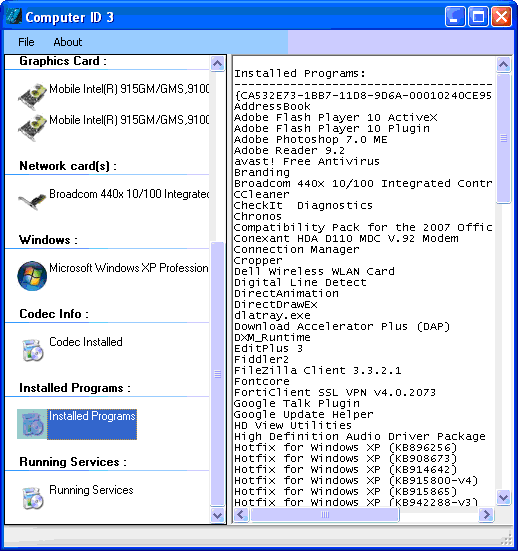
HardDrive information
- HardDrive information including model, type, serial number and tracks information.
CPU information
- CPU details including name,Manufacturer ,Clock Speed architecture, L2 Cache size , architecture etc.
Mother Board Information
- Motherboard information like manufacturer, model, bios version etc.
Graphics Card
- Name, ram, manufacturer, resolution , colors, driver version, display driver details etc.
Network Card Information
- Network Card Information including name, IP address, MAC address, DHCP status, DHCP server etc.
OS Details
- OS Version details, installation date, free memory, system up time , serial number and product key
Codec Information
- Provides list of all Video, Audio Codecs installed in the system
Installed Programs
- Provides list of all installed programs.
Services
- List of all windows serices running currently.
System Requirements
- .NET ver 2.0 or newer
- Windows XP (sp2 or newer) and Vista.


Before you go, subscribe to get latest technology articles right in your mailbox!.