

Since you are using many Google services like Google Docs, you are using Google online storage to store your data. As Google is slowly becoming the most targeted one point store for many such services, you end up storing lot of data in Google servers. The Google Data Liberation services offer a way to liberate them and take a local backup so that your data is safe in your hand. Google Takeout services offered via Google data liberation API supports a lot of services as we discussed earlier. Services like Google Takeout helps you to take backup of your data online, so that you don’t have to worry about the safety of your data stored in Google Servers. But Google Docs was not part of them. Now Google Docs also a part of Google Takeout (Takeaway) services. If you have missed our earlier discussion on how to take Google+ data backup including +1s an stream you can read the following articles.
How to Backup Google Plus (Google+) Data?
How To Download Copy of Your Data Stored Within Google Products?
In January Google included Google Docs in Google Takeout service so that you can take the backup of your Google Docs files. Google Takeout now supports your +1s,Buzz,Circles,,Contacts,Docs,Knol,Picasa Web Albums,Profile,Stream and Voice. (Some people even use GMail Drive as Google online storage or as a Google online backup.)
As you know Google DOcs now supports a large number of file types and it is fast a secure. It also helps you to share common file across a team so that anyone can update or find the file.
How to take backup of Google Docs using Google Takeout Service?
Go to Google Takeout and choose Docs. It will show you the total number of files and total size of all files. It allows you to archive all the files and also allows you to choose the format for your documents.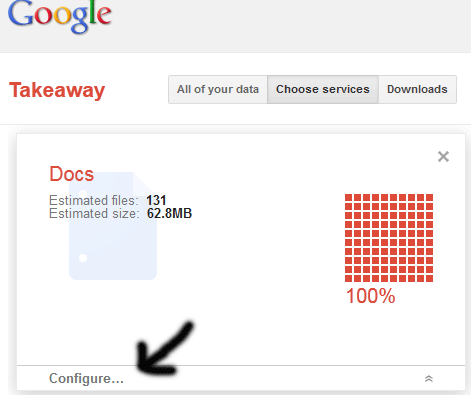 Use the “Configure” menu if you’d like to choose different formats for your documents. You can select your preferred types for documents, Drawings, Presentations and Spreadsheets. See below.
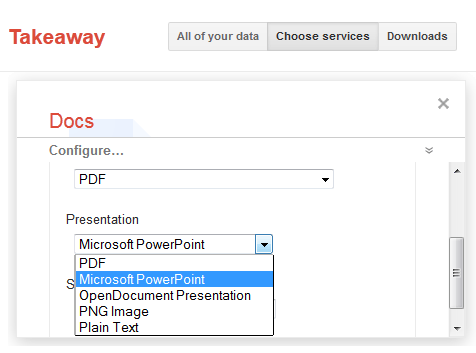 Once selected click the “Create Archive” button to take the backup. If you have a large number of files, then you can choose the option to get notified by email on completion of archive process.
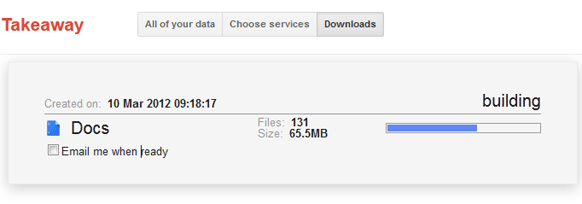 Once completed you can click the download button. The archive will be available to download for a specific number of days.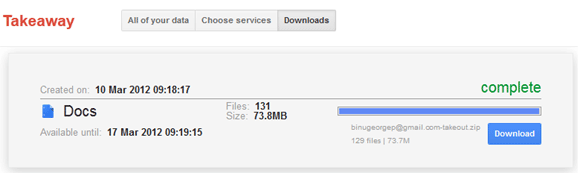


Before you go, subscribe to get latest technology articles right in your mailbox!.
Peggy Trawick.
Will I lose my Google Docs after they have been downloaded, or is the back-up copy just that?
Peggy , it is just a backup operation
hey. i tried it and its easy, but can i somehow make it automatically? lets say everyday at 5pm?
May be you can try some of the tools available, or if you are a programmer you can create your own tool by using the Google APIs
Hi George,
I’m using about 14Gb of data stored on Google Docs. I tryed a lot of solutions to backup this huge amount of data, from Backupify to Google Take Out. But the best solution I’ve found is Spanning Backup (www.spanning.com) that is cheap, reliable, fast and it backups all your Google data, not only Docs, divided into labels, that is very important for me. Infact Google Take Out, Backupify and other services backup all that documents as a multiple collection of files not separated by Folders or labels. And if you got thousands of files it could be a problem…