
Google Docs would only allow you to import spreadsheets (or CSV files) that are less than 1 MB in size.But usually excel sheet data that are shared between groups or individuals are much larger than 1 MB.
A very useful Google product Google Fusion Tables allows you view Excel files as large as 100 MB in the browser.
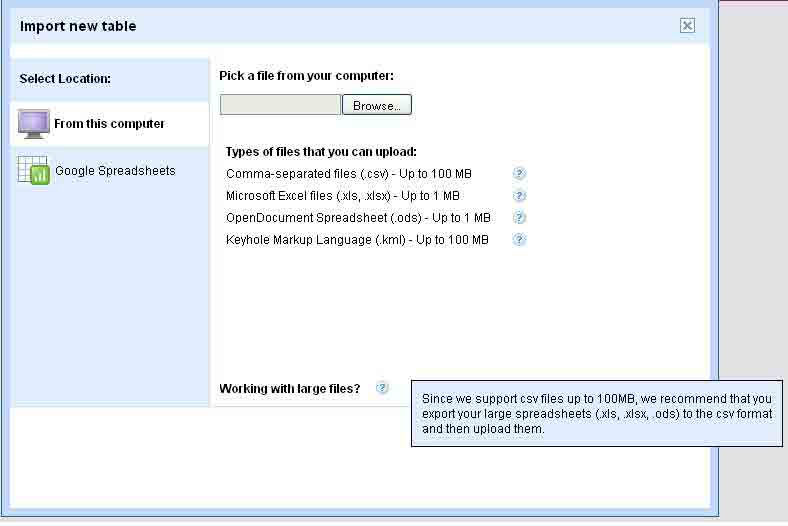
You can either upload the files from the desktop or you can pull it directly from your Google Spreadsheets gallery.Even though Google Fusion Tables doesn’t allow to upload more than 1MB ,you can convert that into CSV files up to 100MB and upload.
Google Tables is primarily for handling tabular data so it can’t understand formulas or cell formatting present in the spreadsheets.
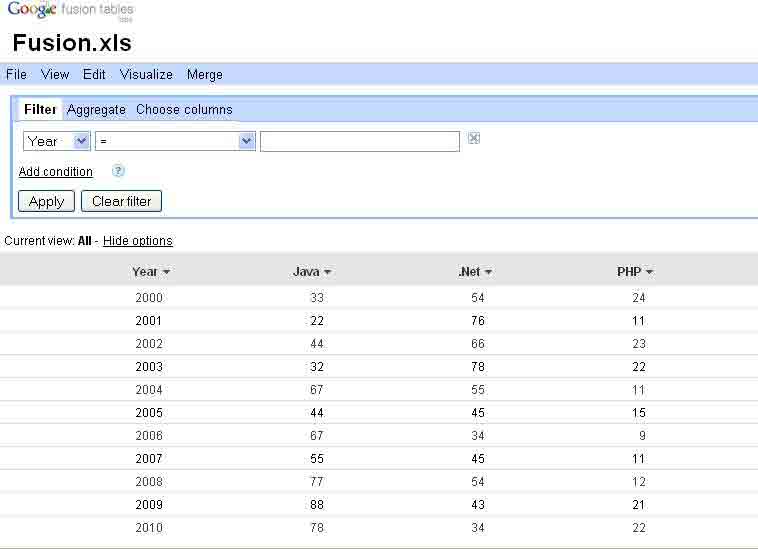
You can apply filters to the sheet data and can view it in the form of charts and graphs.In the fusion tables you can add new row modify and columns and it’s types.
You can filter and aggregate the data, and you can visualize it on Google Maps or with other visualizations from the Google Visualization API.
If your spread sheet column contains country names or street addresses, Google Tables can easily plot that data onto a world map.
Let us see by example.Given below is an excel sheet we are going to use as a Fusion table.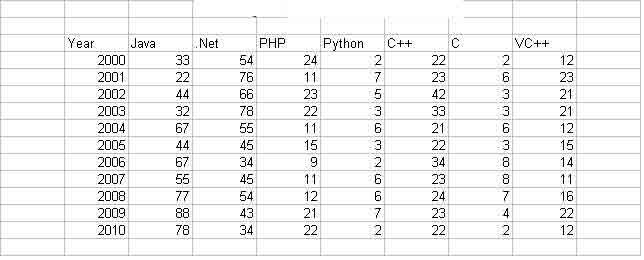
Let us upload it to Google Fusion tables.
See below how we can use the filters to filter data in table.Also options are available to Aggregate data and to select or deselect column.
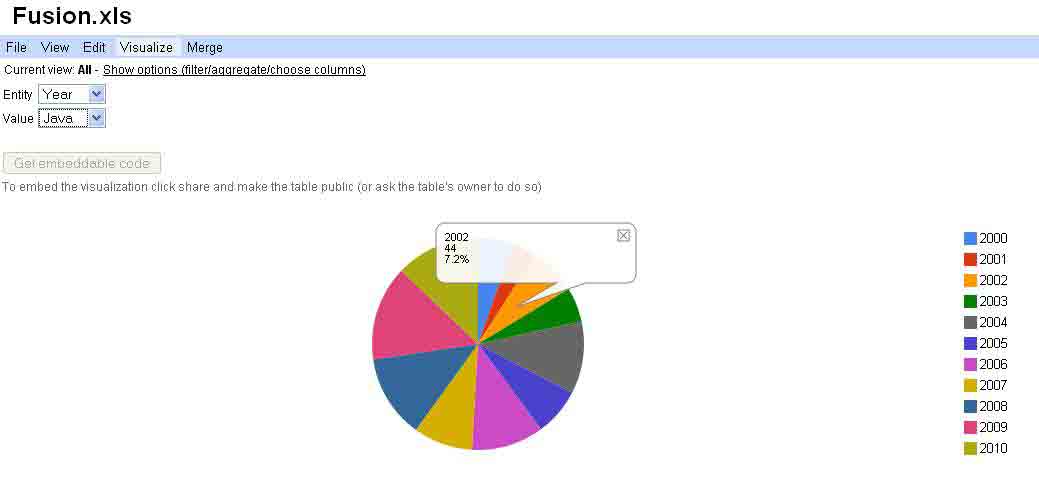
You can visualize the table data based on charts and graphs.See below the pie chart generated from our example excel sheet.The chart is based on the number of java projects executed per year .You can visualize the tables using line,bar,scatter and pie charts as seen below.
The real benefit of Google Fusion tables are much more broad.The focus is on fusing data management and collaboration.It includes merging multiple data sources, discussion of the data, querying, visualization, and Web publishing.


Before you go, subscribe to get latest technology articles right in your mailbox!.