
Are you using a windows PC and looking for a tool to find and preview documents, e-mail messages, music files, photos, and other items or want to do a PC-to-PC search?
Windows Search 4.0 does exactly the same.Windows Search 4.0 and Google Desktop has many similar features and the former supports for indexing encrypted documents of local file systems files and and per-user Group Policy Objects etc.It has support for indexing online delegate mailboxes.
Windows Search 4.0 is the successor to the Windows Search platform, for both Windows Desktop Search 3.0 on Windows XP as well as Instant Search on Windows Vista.Windows Search refers to both Indexed Search on Windows Vista and later versions of Windows, and Windows Desktop Search on Windows XP.
Once you install Windows Search 4.0 builds a full-text index of the files on a user’s hard drive.
Windows Search 4.0 supports a rich set of Group Policy settings and per-user Group Policy Objects.Read more about Group Policy settings below.
- How To Use the Group Policy Editor in Windows XP using MMC
- Windows Group Policy Editor
- How to remove “Turn Off Computer” button from windows start menu
By default the tool will not Index the entire local drives.Go to Indexing options and Modify the indexing location as shown below.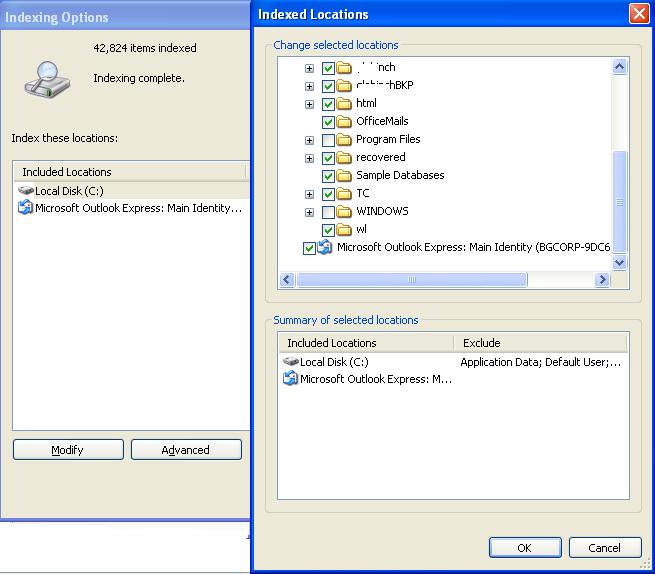
It intgrates with Windows taskbar to facilitate faster search and quick preview of search results as shown below.
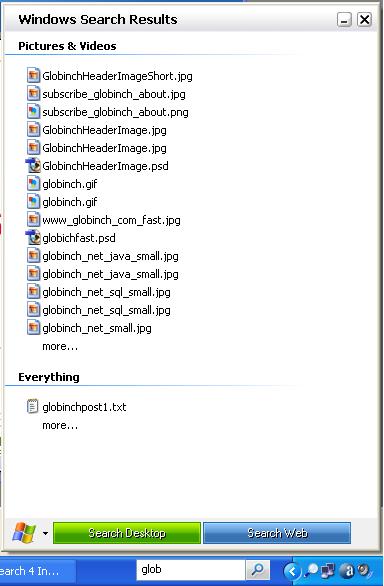
It support EFS-encrypted files and Windows Vista-style preview handlers that allow document-type specific browsing of documents in the preview pane.
This tool ca be used to find almost anything on your PC and across your network.The new noted features of Windows Search 4.0 is the support for indexing encrypted files and enables PC-to-PC search.See the search results window below.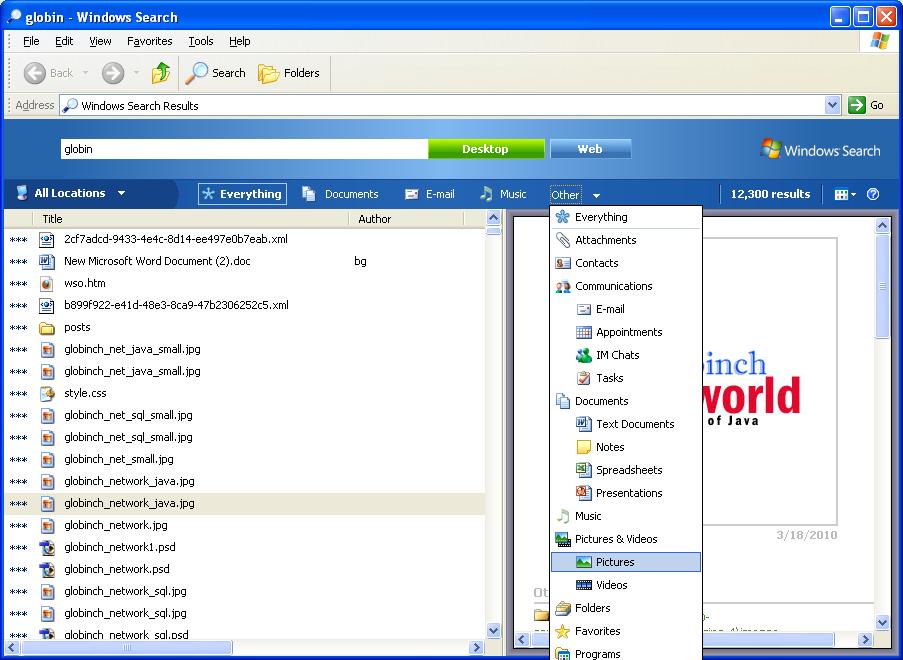
Developers can make use of the Windows Search 4.0 API to integrate with their custom components.
Windows Search 4.0 is supported on Windows XP, Windows Server 2003, Windows Vista, Windows Server 2008 as well as Windows Home Server.
Download Windows Search 4.0 for Windows XP here.


Before you go, subscribe to get latest technology articles right in your mailbox!.