
Google translation services provides many useful utilities.Google Translator Toolkit is a very useful service and can be used to translate and store files in multiple languages as part of your Google account.
The Google Translator Toolkit it supports around 200 different languages.
The Google Translator Toolkit mostly used by Wikipedia™ and Knol volunteers to publish translations directly back to those sites. Publishing back to Wikipedia™ or Knol can be especially useful for quickly making multilingual versions of those sites more helpful by making articles available in local languages.
Google Translator Toolkit helps translators translate better and more quickly.
Using Google Translator Toolkit you can upload and translate the documents ,edit them ,share them and download to your local machine in the same file format.User can download documents to their desktop in their native formats ie Word, OpenOffice, RTF or HTML.
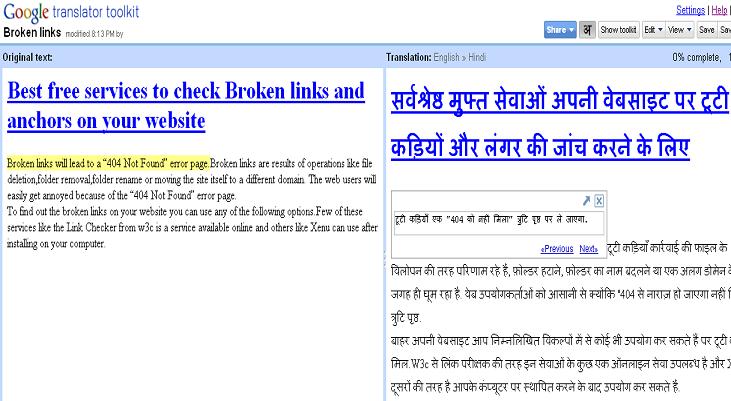
You can create a new translation by uploading a file or by specifying a URL to a web page.Upload Word documents, OpenOffice, RTF, HTML, text, Wikipedia articles and knols.
Related Articles
Google Fusion Tables :View,merge,discuss,publish and visualize large Excel Spreadsheets on the Web
Blogger blogs- 3 methods to post to your blog from GMail and iGoogle.
10 steps to link AdSense and Analytics accounts – Using AdSense Analytics Code (ASAC)
Gmail Drive – A virtual filesystem on top of the Gmail account
Blogger Scheduled Posts-How to Schedule the Blogger posts.
How to recall sent mails from Gmail? Undo Send-Abort or stop the delivery of any Gmail message


Before you go, subscribe to get latest technology articles right in your mailbox!.