
Even though you have developed your website or web page using a WYSIWYG (What You See Is What You) editor it is important to ensure that visitors enjoys reading your site and don’t leave it immediately. In other words the bounce rate of your website will be less if you do a thorough validation of your website and web pages.This will make sure WYSIWYG and not WYSINWOG (What You See Is Not What Others Get).
It is important that you create web pages according to a widely accepted coding style.Also following a formal standard will help in maintainability of the application or website.
Let us discuss the points that will help you to Completely Test Your Website
1. Browser compatibility check.
Browser compatibility check is very important.
This is explained here.Online tools to check browser compatibility -Cross platform browser test
2. Inspect CSS HTML and loading time of your HTML web pages, JavaScript, Images, CSS, Flash animations, etc.
Read it here.
Internet Explorer add-on to design and debug web page HTML and CSS
FireBug- A Firefox extension to Inspect HTML CSS and modify style in real-time
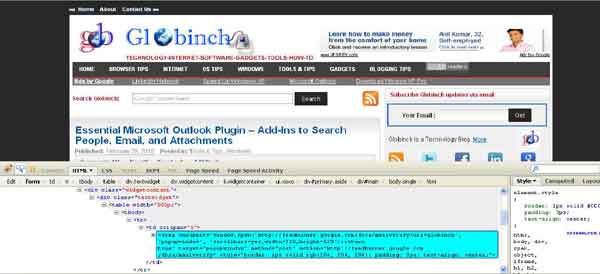
3. Web Page (HTML,XHTML) ,CSS ,RSS,ATOM FEED validators
I. W3C Markup Validation Service (HTML or XHTML etc)
The Markup Validation Service by the World Wide Web Consortium (W3C) allows the website designers to check HTML documents for conformance to HTML or XHTML standards.This validation checks the markup validity of Web documents in HTML, XHTML, SMIL, MathML, etc.You can validate the page or website by URI or by File Upload or by Direct Input
HTML validators operate by comparing the mark-up on a web page to the W3C standards.
II. W3C CSS Validation Service
This service checks the CSS (Cascading Style Sheets ) and (X)HTML documents with style sheets.You can validate by providing URI or by file upload or by direct input.There are more options available here. You can select various profiles and type of report.
III. W3C mobileOK Checker
This validator performs various tests on a Web Page to determine its level of mobile-friendliness.You can validate a site by providing URI,File Upload
or by Direct Input
IV. W3C Feed Validation Service
This is another validation service from W3C. W3C Feed Validation Service a free service that checks the syntax of Atom or RSS feeds of websites.
You can validate the ATOM or RSS feed by providing the URI or by Direct Input of ATOM or RSS feed.
V. W3C Link Checkerto find broken links
This validation service helps you to find broken links in in Web pages or full Web sites.You can do the validation by providing address (URL) of a web page that you would like to check.
Other tools and services
I. HTML Tidy
This is a very popular tool for checking and cleaning up HTML source files and helps is finding and correcting errors in deeply nested HTML.
II.W3Schools
W3Schols.com provides various services to test your website and Web Page.
Here you can do the following validations
- Validate your WML files with Internet Explorer
- Validate your XML files with Internet Explorer
- Validate your XHTML files with W3C
- Validate your CSS files with W3C
- Validate your HTML files with W3C
Speed up your site
1. 7 steps to Speed up website loading – Website Optimization Tips -Part 1
2. Speed up website -Compress CSS/JavaScript using GZIP/DEFLATE compression – Optimization Tips -Part 2
3. Check website/ web page for css/script Gzip/ Deflate compression – Optimization Tips -Part 3
4. Speed Up websites by enabling .htaccess Caching using mod_expires and mod_headers
5. .htaccess Tutorial -A guide and .htaccess tricks and tips
If you are interested you can view the W3C specifications (All Standards and Drafts) here.


Before you go, subscribe to get latest technology articles right in your mailbox!.
hi, My name is irfan Gul I am also a blogger. I love you blog and i love to share it with my friends. I want to exchange link with you. If your interested in it. Please mail me. Thanks