
Google +1 Button is used by visitors of your blog or site to recommend your content on Google Search and on their Google Profiles. Now Google +1 button lets visitors share links to your pages on Google+. The +1′s suggestions made by you can help your friends, contacts, and others on the web find the best stuff when they search for similar information.
This will not only allow the users to share the content with their friends and circles but also helps to start a conversation about your content. This is a cool feature enhancement from Google. Google +1 button like the Facebook share and Retweet buttons help you to promote your content there by your website gets more exposure and page views. The more the number of people share your content using +1 button the more impact it will create of Google SERP. This may be another factor in ranking the web pages in Google’s Panda Algorithm.
Moreover that now you can control the name, image and description that appear when your content is shared using the +1 Sinppets. After +1’ing a page in your site , the user is given the option to share the page to Google+ via a displayed Share bubble. See below.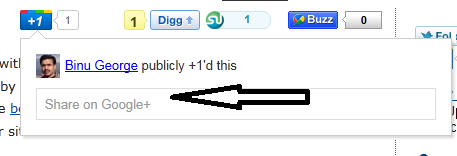
Related Articles:
- How to Add Google +1 Button To Website or Blog With No Plugins?
- Google +1 Button Plugins For WordPress Blog
Click the share bubble and it will open up a small window which includes a preview, or +Snippet, that contains the page title, a brief description of the page, and a thumbnail image. These information are retrieved using Schema.org microdata if the page is annotated with schema.org microdata, or Open Graphic Protocol if the page contains Open Graph properties for the title, image, and description, or Meta “title” and “description” tags if your page has these meta tags, or Google will parse your page and will will try to find the best title, description, and image. See below.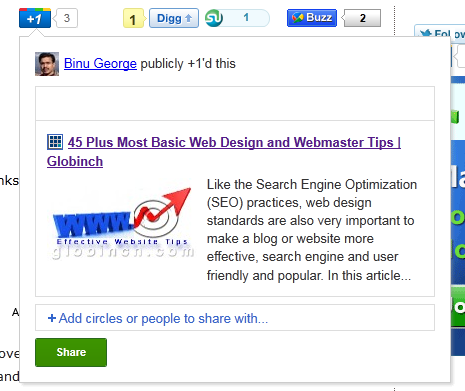
You can also add in-line annotations and will helps when a person visits a page that someone they know has +1’d, they can see a name and face reminding them to pay special attention to your content.
As of today the new +1 sharing feature is enabled only for users in the Google+ Platform Preview group. Read more about this in Google Webmaster Central Blog


Before you go, subscribe to get latest technology articles right in your mailbox!.
hi Binu, ive much read your post blog..
i like where you placed ads link beside ur post story, sometime i see its look like other same link, i wonder your horisontal ads receive many click each day, dont you?