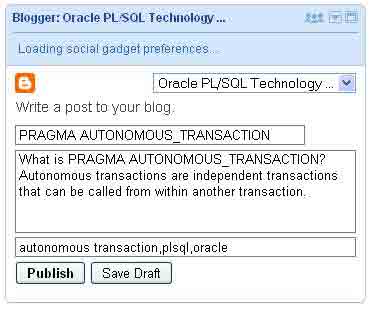
How do you post to your blogger blog if the http://www.blogger.com/ is blocked but you have access to GMail and iGoogle?
You can either use Mail-to-Blogger feature of blogger or Blogger Posting Gadget to publish posts from Gmail or iGoogle.
1. Send blog post via email
This is pretty simple.
- Login to blogger account.
- Select your blog and go to settings
- Click Email in settings and create Mail-to-Blogger address which you will use to send posts via email to your blog.
- There are two options available here.Either you can set it as Publis emails immediately or set to save the email post as a draft.
As Google says “The format of the email address is username.secretword@blogger.com. Note that this email address must be kept secret. Otherwise, anyone who gets it will be able to post as you.”
Put #end at the end of your email post to indicate the end of your post ,otherwise sometimes extra entries like signatures will get published.
2. Use Blogger Posting Gadget in Gmail?
Login to your Gmail and go to settings. There you enable Add Gadget by URL lab feature.
Once you’ve enable this Labs feature, then you can add the posting gadget by simpling entering its URL into the Gadget tab in your Settings.
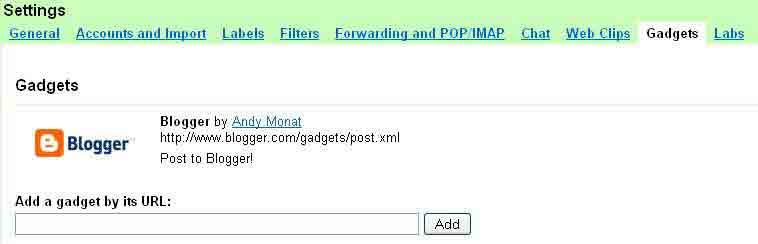
The URL is given below
http://www.blogger.com/gadgets/post.xml
The Gadget will appear in the left hand side. Here you can pick your blog from the drop down list which will have all your blogger blogs.
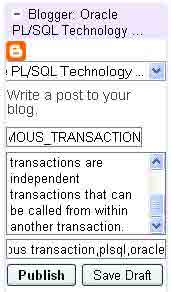
There is a drawback here. If you want to add an image to your post or want to use other rich text features you need to click “Save Draft”. The gadget will save your post, then give you a link to directly edit the post in Blogger.
3.Add Blogger Posting gadget to iGoogle?
This is a simple one step process.
This will add the gadget to your iGoogle. From iGoogle you can start posting to your blog.